


Straight into the site you already run
WordPress, Ghost, GitHub or a signed webhook. A site that renders posts itself reads them from the Content API, with the @ryterr/client SDK for Node and edge runtimes. See every way to publish.
How it works
You add your website and pick a topic. Ryterr researches live sources, writes in your voice, checks every claim against its source and shows you the result before anything goes live.
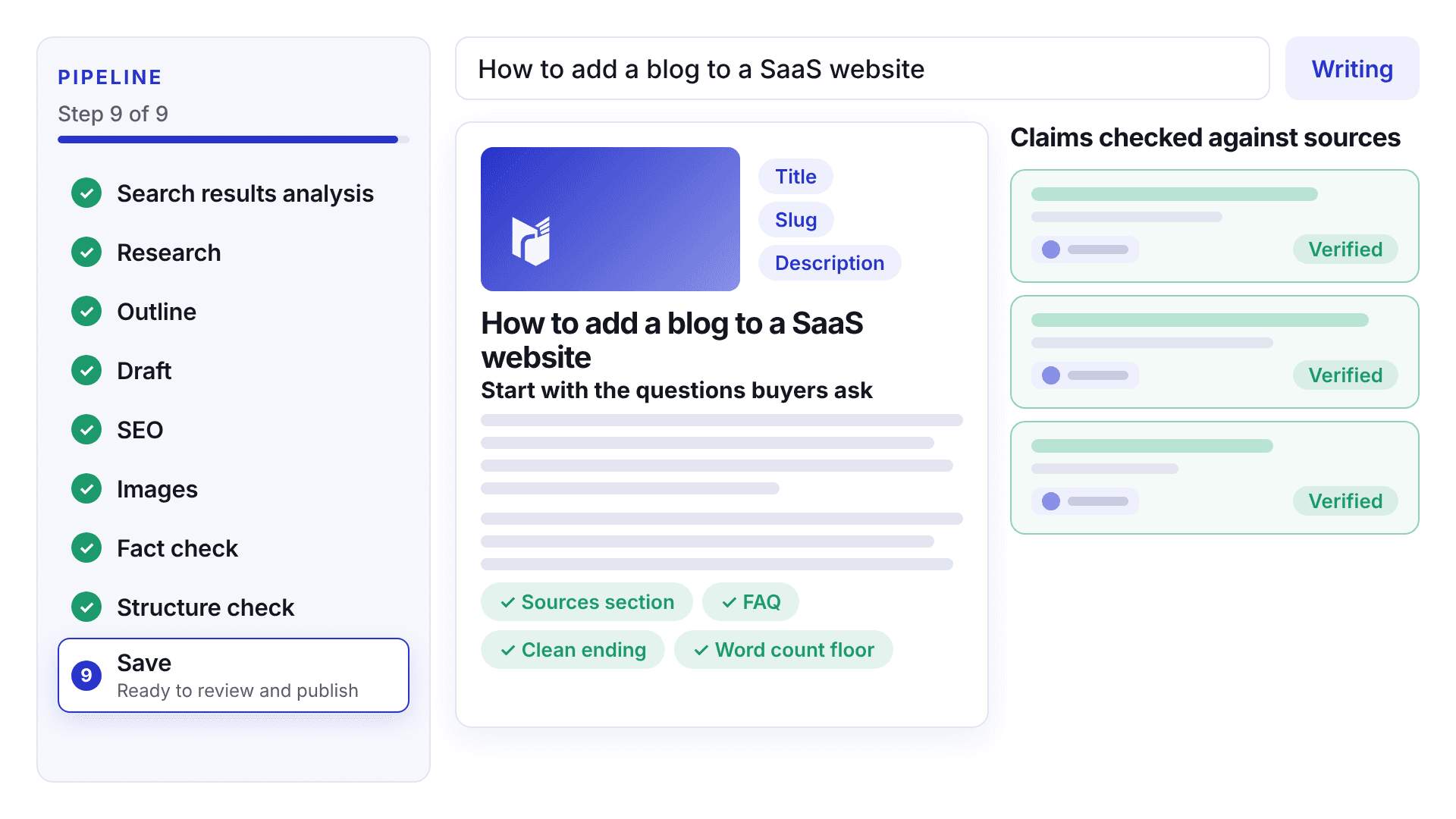

When a source contradicts the draft, Trace corrects the words and checks the claim again before the post is saved. The Review tab lists each correction: the old words struck through, the new words and the reason.
A correction that could not be applied stays flagged and is marked in the article.
25 of 25
claims verified on our sample post
0
open review warnings
Links in a post come from pages the research step retrieved, plus your own pages and any source you approved in the plan. A link the model wrote from memory is removed before the draft is saved.
Every post ends with a Sources section, and a structure check confirms it is there before the post reaches you. Trace then checks each claim against a live source.
Ryterr reads the public pages of your site, such as pricing, product, docs and blog, and keeps each fact with the quote it came from. A fact whose quote is not on the page is dropped, and prices are taken only from pricing pages.
Anything you edit stays yours. On Solo, track up to five competitors and Ryterr reads their key pages and tells you when a price changes.
Add a connection once, then plan the weeks ahead.
A post with open findings is marked for review. A scheduled run stops there and holds the post instead of publishing it.
You can still publish it by hand. Ryterr asks you to confirm you have read the warning first, and editing the post asks for a fresh review.
Ryterr reads your public pages and saves your product, prices and voice, each fact with the quote it came from.
Choose from ideas ranked for your buyers, add your own, or plan the whole month on the calendar.
Read the fact check, edit anything, then publish to WordPress, Ghost, GitHub or your own webhook.
Each step finishes before the next one starts, and the post page shows which one is running. The same list appears in your workspace.

A run can fail or come back unsure. Here is what happens in each case.
Ryterr still writes from what the search results show, and the post carries a note asking you to look closer before it goes out.
The finding stays on the post with its source. A scheduled post waits for you instead of publishing.
The post you used comes back to your account on its own, and we email you so you can run it again.
Something else on your mind? Write to us.

Two posts free, no card needed. Watch each step and read the fact check yourself.
 Ghost
Ghost